
Open WebUI is better than ever
If you still aren't using Open WebUI now is the time
September 06, 2026

We started using Open WebUI in early 2024 at Origin, around the launch of v0.3.0. At the time it was a great way to use OpenAI's HIPAA compliant zero-retention API to give HIPAA compliant "ChatGPT" to the workforce. Instead of pay per seat, you paid per usage for tokens. It was a critical step in the early days of our AI journey.
Open WebUI is no longer the primary way folks interact with AI at Origin, we've developed our own extensive suit of assistant and agent tools to make our teams more efficient. But that's not because Open WebUI has fallen behind, if anything it is better than ever.
The level of polish in Open WebUI in 2026 is fantastic. Early 2024 had bugs and the project would often lag to keep up with API level changes from OpenAI and other LLM providers. Now it's essentially turn key if you want to deploy user-friendly AI to a team or even a family.
Features that have landed in the 2+ years we've used it include automatic memory generation, sub-agents, robust tool use, scheduling, and automation. It's essentially a turn key AI environment for use with any cloud LLM provider or locally hosted model.
Our home setup is a pretty basic Open WebUI install behind the firewall, accessible on the local network and over our VPN. Open WebUI is wired up to a DGX Spark hosting Qwen 3.8 Flash Next (NVFP4) which does an excellent job at appropriately using tools and especially web searches to accurately reply instead of hallucinating nonsense (hello free-tier Gemini... still in 2026)
The killer thing you have to do is sign up for the Brave Search API. They give $5/mo of free credit, good for 1000 queries which is plenty for home use. Another 1000 is $5. They even sign zero retention deals for enterprise customers.
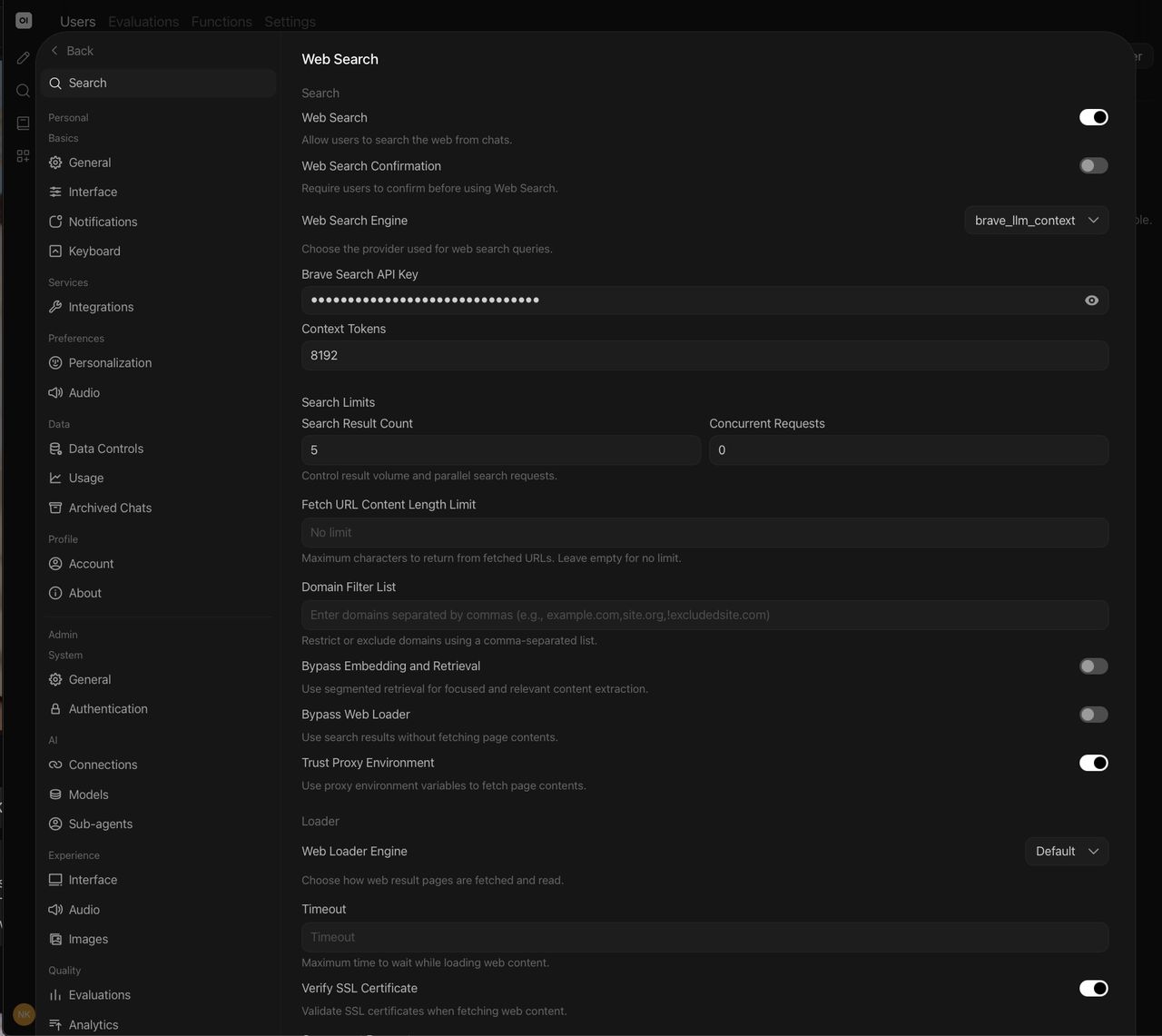
Once you sign up and get your API key, enable Web Searches in the Open WebUI admin panel. Make sure to select brave_llm_context instead of vanilla brave and enter your API key. The next step is to go to the model you want to serve to your users and enable the web search capability, that way users don't have to remember to enable it each time they use it.
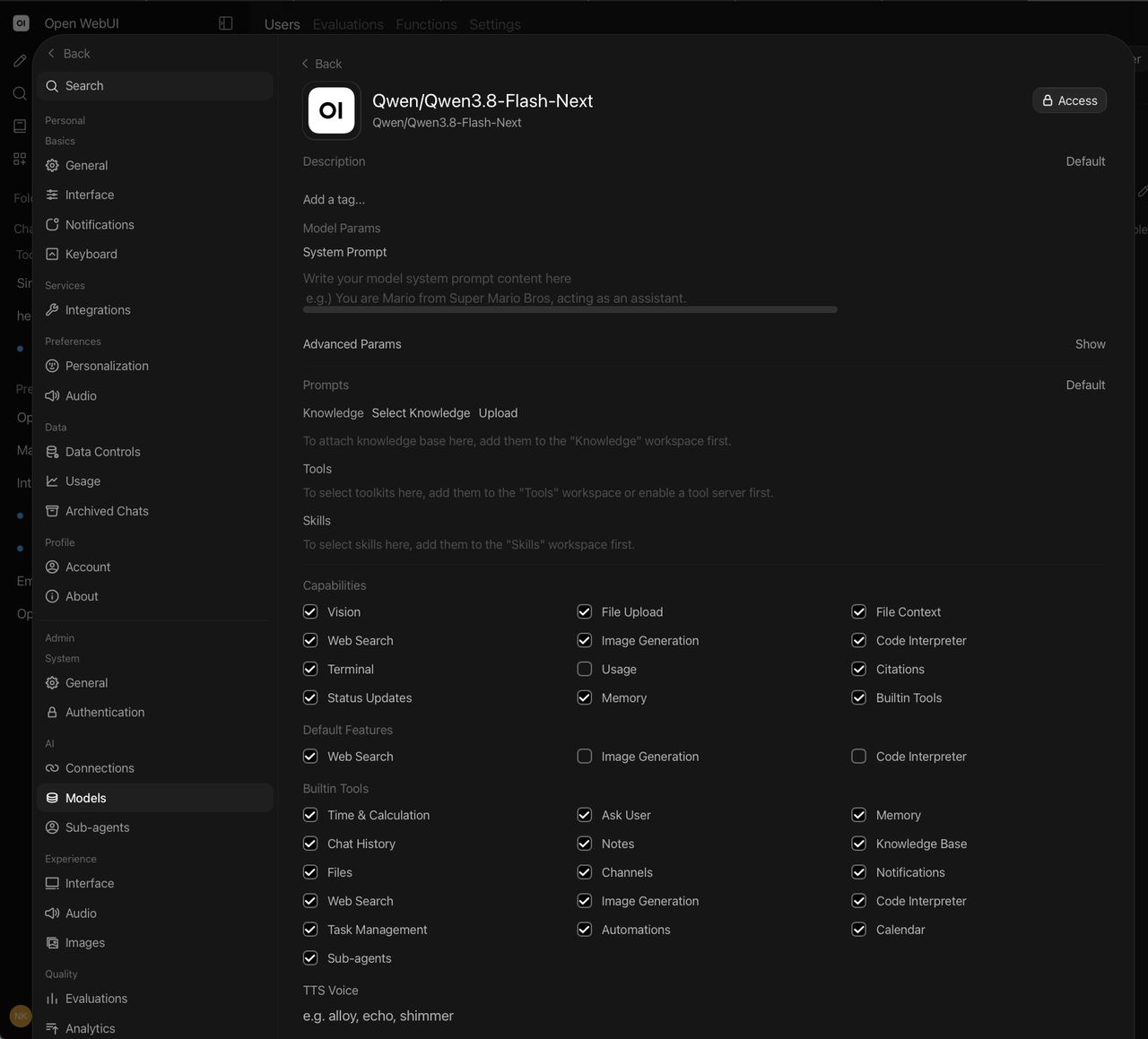
With that, lil 180B parameter Qwen 3.8 Flash Next does a fantastic job at answering a wide variety of questions with sourced replies. You'd be hard pressed to miss the frontier models (and certainly not their free tiers) for general AI usage.